











.jpeg "Snake Arena")







.jpeg "Woodoku")


Wheely 3
About Wheely 3
Wheely 3 is a charming puzzle-adventure game in which a little red car solves creative logic challenges to help his lover, testing problem-solving skills.
Gameplay
In Wheely 3, a cute red car named Wheely is on a heartfelt mission to find the perfect wheel for his wife, Jolie. Unlike high-speed racers, this game emphasizes strategic thinking over reflexes. You can not control Wheely with a steering wheel or pedals, but with insight and logic.
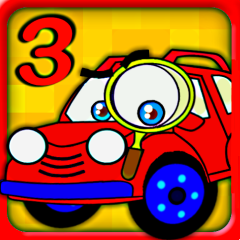
Each level presents an environmental puzzle: buttons to press, levers to flip, platforms to move, and obstacles to navigate. You help Wheely safely reach the red flag at the end of the stage by interacting with elements around him. As you progress through all 12 uniquely crafted levels, challenges grow in complexity and systems begin to interact in clever ways, requiring both patience and creative problem-solving.
Controls & Interface
Wheely 3 is designed with simplicity and accessibility in mind.
Controls:
- Left Click: Click on Wheely to start or stop moving.
- Interact: Click objects in the environment (levers, buttons, blocks, ramps) to activate or reposition them.
The UI typically shows the current scene with intuitive visuals and a clear end-goal marker (the flag).
Tips and tricks
You should keep these strategies in mind to complete all levels in Wheely 3.
Observe before acting
Before clicking anything, take a moment to understand the whole scene. Many puzzles require you to trigger objects in the correct order, so clicking randomly can make progress harder.
Use Wheely's stop skill
Do not rush Wheely forward! Often, you need to halt his movement so that platforms or bridges can be put into place. Clicking Wheely again stops him, so that you can plan the next move.
Pay attention to timing
Some obstacles involve moving parts such as levers, lifts, or platforms that shift back and forth. The timing of when you activate and move Wheely is often key to success.
Experiment and reset
If a sequence does not work, you should not be afraid to restart the level. Trying different action orders helps you learn how mechanics interact.
Look for hidden tools
Sometimes the solution is not obvious. Blocks, gears, or ramps that seem decorative might be essential mechanics once interacted with.